
How to pay with ZipPay
Paying with Buy Now, Pay Later
Not sure how to pay with your favourite Zip Pay? Follow these steps.
Please note: Unfortunately, AfterPay is no longer supported.
1 Proceed to checkout
In the cart, click Proceed to checkout.

2 Skip express checkout
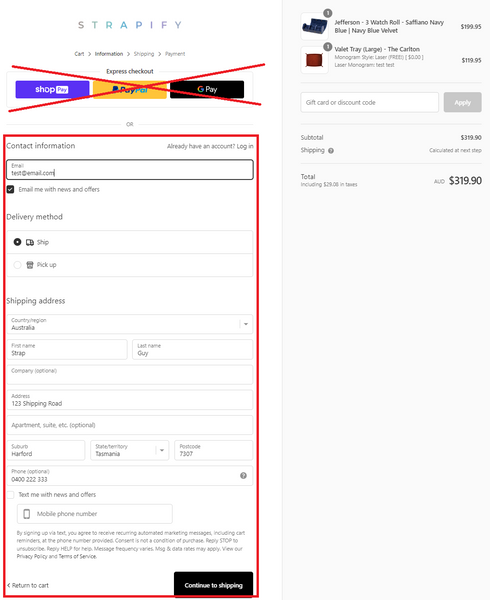
Do not click the Express Checkout option.
3 Enter your contact details
Complete your contact information as pictured, then click Continue to shipping.
4 Choose a shipping method
Select a shipping method, then click Continue to payment.

5 Select your provider
Choose your Buy Now, Pay Later provider and complete your order.

Not Showing Up?
Check your currency: Buy Now, Pay Later options only appear when your currency is set to AUD.